
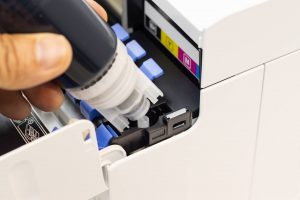
It’s the bane of every office worker’s existence – a leaking printer cartridge, a stained piece of clothing, a ruined day.
Fortunately, there is a fix. Oftentimes, a leaking cartridge is a symptom of a bad fit or improper installation rather than a broken piece of machinery and solving this is a simple task that only takes a few minutes. At Toner City, we want to ensure that all the ink stays on the paper – not on your clothes – so we’ve put together this brief guide to diagnosing and remedying printer ink leaks. Read on and let us show you how to get your printer back up and running lightning fast.
Readjust your cartridge
Step one with any printer leak is to make sure it’s installed correctly. While printer cartridges have risen in technological complexity over the last decade, they’re still fundamentally a plastic box containing a bladder full of liquid. Just as a badly installed tap is going to leak, an improperly fitted printer cartridge is going to create a bit of mess. Many cases of printer cartridge leaking start here, so take a moment to reseat the cartridge carefully.
Open up the printer and look for the cartridge corresponding to the colour of the leaked ink. Modern printers work on tight tolerances, so what may look right to you could be way off the mark for the machine. Remove the printer cartridge and carefully reinsert it, taking care to align it correctly with the guides inside the machine. Push firmly, but not too hard – too much force could result in damage to the cartridge or to the printer itself. Close the lid and run a test page.
Clean the contacts
Still not working? Not a problem. Even a properly aligned cartridge can leak if the contacts between it and the machine are dirty or clogged. Similar to before, open up the machine, remove the offending cartridge and wipe it down with an alcohol-based wipe – not water as this can cause damage. Then, do the same for the printer head. Reinstall the cartridge and run another test page. This quick cleaning often clears the residue of a printer cartridge leaking that can interfere with sensors and seals.
Test for other leaks
Any continued leaks beyond this point could be a symptom of a broken or defective cartridge. Don’t get on the phone to the manufacturer just yet – run this test first.
Remove the cartridge from the printer and inspect it closely. Look for excess ink in any areas away from where it directly connects with the printer. Printers run on small quantities of ink – as little as 10ml per cartridge – so don’t expect to see a big dirty stain. Instead, run a white tissue over the entire printer cartridge and look for where it starts to colour. If you’re picking up colour away from the contacts, your cartridge may be cracked or defective. In this case, treat the printer cartridge leaking incident as a sign that a replacement is needed.
Time for a replacement
When it’s time for a new cartridge, know you’re getting the best at a great price when you shop at Toner City. With a range of genuine and compatible cartridges to suit all makes and models of inkjet and laser printers, it’s easy to get what you need. Choosing the correct model helps prevent future printer cartridge leaking issues and keeps your printer running smoothly.
Browse popular brands such as Brother, Canon, HP and Epson to find the perfect match for your printer model.
Order today through our convenient website before 3 p.m. for same-day dispatch and fast, affordable delivery anywhere in Australia. Plus, enjoy free delivery on orders over $50. Need more info? Email us with any questions at [email protected], and our staff will be happy to help.