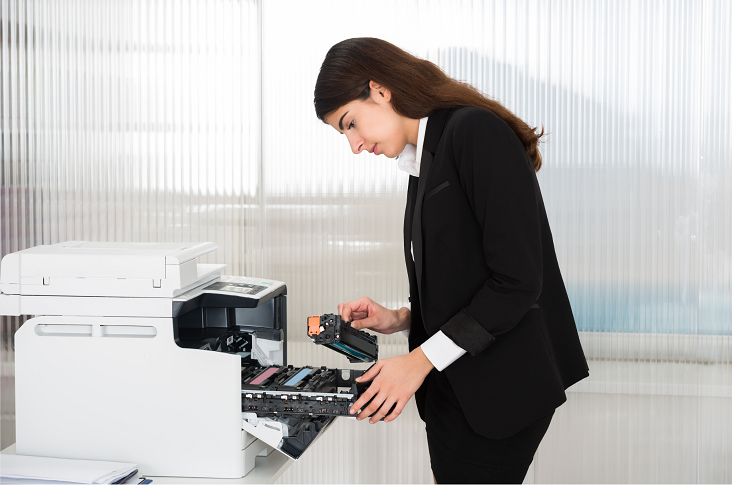

When it comes to sublimation printing, Sawgrass ink cartridges are often the go-to choice for professionals and enthusiasts alike. Whether you’re new to the field or an experienced printer, properly installing ink cartridges into your Sawgrass printer is essential for optimal performance and high-quality prints. In today’s post, we’ll guide you through the simple steps on how to take the ink cartridges out of a Sawgrass printer and install new ones.
Required Items
Before you begin, make sure you have the following items handy:
- Your Sawgrass Printer
- New Sawgrass ink cartridges
- Disposable gloves (to avoid potential ink spills on your hands)
- Lint-free cloth or paper towel
Safety Precautions
- Make sure the printer is switched off and unplugged.
- Carry out the process in a well-ventilated area.
Step 1: Preparing Your Printer
- Switch on your Sawgrass printer.
- Open the printer’s front panel to access the ink cartridges.
Step 2: How to Remove Ink Cartridges Sawgrass
If you’re wondering how to remove ink cartridges from a Sawgrass printer, rest assured the process is relatively straightforward. Here’s how:
- Unlock the latch that secures the ink cartridges in place.
- Gently remove each ink cartridge one at a time. Remember the order in which you removed them; it will make reinstalling the cartridges simpler.
Step 3: Unpacking the New Cartridges
- Unpack your new Sawgrass ink cartridges.
- Remove any protective seals or caps.
Note: A gentle shake of the new ink cartridges will ensure that the ink is evenly distributed, contributing to better print quality.
Step 4: Install Ink Cartridges Sawgrass
Now that you know how to remove ink cartridges from your Sawgrass printer installing new ones will be a breeze:
- Line up each new ink cartridge with the corresponding slot in the printer.
- Firmly push the cartridge until it clicks into place.
- After installing all the cartridges, lock the latch back in place.
- Close the printer’s front panel.
Step 5: Calibration and Test Print
Once you change ink cartridges in your Sawgrass printer, it might be necessary to calibrate it for colour accuracy. After calibration, conduct a test print to make sure everything is in working order.
Common Troubleshooting Tips
While installing or removing ink cartridges, you may encounter some common issues. Here are some troubleshooting tips that could prove to be helpful:
Cartridge Not Recognised: If your printer fails to recognise the newly installed cartridge, make sure that it’s properly inserted and clicked into place. Verify that all protective seals, stickers, or tabs have been removed from the cartridge.
Inconsistent Print Quality: If the print quality is not up to the mark after you change ink cartridges Sawgrass, ensure that you’ve shaken the new cartridges before installing them. Additionally, recalibrate your printer for accurate colour representation.
Ink Spills or Leaks: Always handle the cartridges carefully to avoid damaging them. If ink spills occur, immediately clean up using a lint-free cloth to prevent damage to the printer’s internal components.
Printer Error Messages: Should your printer display an error message post-installation, refer to your printer’s user manual for specific troubleshooting steps. This will often clarify whether the issue is related to the ink cartridges or another printer component.
Outdated Printer Software: An obsolete printer driver might sometimes cause issues with new ink cartridges. Make sure that your printer’s software is up to date for seamless compatibility with new cartridges.
Resetting the Printer: If all else fails, try resetting your printer per the manufacturer’s guidelines. Occasionally, a hard reset can resolve underlying issues that are not immediately obvious.
Remember, if you face persistent issues, it’s advisable to consult customer support or seek professional assistance.
Find Sawgrass Ink Cartridges And More With Toner City
Trust Toner City for unparalleled quality, exceptional service, and expert advice on all your printer consumables. With over a decade of experience, we specialise in providing high-quality, genuine, and compatible cartridges at unbeatable prices.
Whether you require cartridges for your colour laser printer or need assistance with cartridge installation and troubleshooting, our dedicated team is just a phone call away at 1300 330 242 or via our contact form.