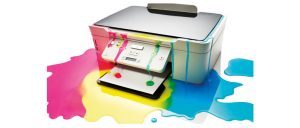

Noticing that your photos aren’t as vivid as they used to be? Wondering why your documents look fainter and less readable than ever before? Your inkjet printer may be overdue for a clean.
While printers are a frequent cause of frustration for computer users, fortunately giving yours a basic clean is quick, easy and relatively effective at restoring printer quality. Of course, there are certain things that can only be fixed by a change in printer cartridge. If you’re discovering that you’re getting poor quality prints even after cleaning, consider speaking to the team at Toner City to get a new cartridge for your system. For everyone else, read on and let us show you how you can extend the life of your printer.
How will I know when my printer needs a clean?
When a printer cartridge is low on ink, the entirety of the page printed – or a certain colour used on the page – will be uniformly faded and difficult to make out. Additionally, your printer will most likely inform you that it is running low of a certain kind of ink. In these cases, the only remedy is a fresh cartridge.
Do not mistake needing a new cartridge for needing to clean your printer. If your printer is in need of a clean, it’s more likely that the quality of a page will have degraded irregularly – instead of the entire page, or just the black/cyan/yellow/magenta sections of a page fading – or unwanted ink marks will be visible on sections of the page. In both cases, the culprit is one or several clogged ink jets.
Ink jet printers work by propelling droplets of ink onto the paper through tiny nozzles located on a device called a print head. Many modern printers integrate the print head – and the nozzles – directly onto the cartridge, meaning replacing a cartridge requires replacing the nozzles. However, many do not, with big names like Epson, Canon and Hewlett-Packard still building printers with fixed heads that are designed to work for the lifetime of the printer.
It’s these nozzles on this print head that are what need to be cleaned. Should ink remain in the nozzle after a page is printed, it can dry and clog the channel, blocking it entirely or resulting in nasty smears on paper when a semi-dry blob of ink is forcibly expelled onto a page.
What can I do?
Cleaning a printer is relatively straightforward. Before you start opening it up, look for a self-cleaning function in the menu – this forces ink through all the nozzles, often dislodging some of the dried on ink. If that doesn’t work, progress with the manual cleaning.
To complete the job, there are three components that need attention – the ribbon, the ink reservoir and the print head itself. The goal is to reduce the total amount of dried and waste ink in the printer to minimise the risk of failed print jobs and smeared pages.
Beginning with the print head, apply some isopropyl alcohol to a sponge and rub gently back and forth across the nozzles. This will help break down any dried ink. Next, clean the ribbon by very gently rubbing a bit of paper towel prepared with Windex across it – be careful as this part is fragile.
Finally, remove any built-up ink in the reservoir using a cotton ball, with maybe a bit of alcohol to help break down stubborn dried parts. Run a test page to check that you’ve been successful and enjoy your cleaned printer!